Clipping guide
GTA clipping rules: how to get your clips approved
The common rules on GTA clipping campaigns, why clips get rejected, and a pre-post checklist to get every GTA V and GTA 6 clip approved and paid.
You can cut a great GTA clip, post it, watch it pull 200K views, and still not get paid. On clipping campaigns, approval depends on following the rules, and most rejections come from small, avoidable mistakes. Here's what campaigns usually ask for and how to pass every time.
Why GTA clips get rejected
- Missing call to action. Most campaigns want a line like "subscribe to [creator]" on screen or in the caption.
- Wrong or missing hashtags and @handle. Campaigns often require specific tags (for example a creator tag plus #gta6).
- Hidden likes or view counts. Reviewers need to see engagement. Hidden like counts are a common, silent fail.
- AI-generated or re-uploaded content. Many campaigns reject auto-generated clips and straight copies.
- Wrong audience. Some campaigns require a minimum share of viewers from countries like the US, UK, Canada or Australia, with proof.
- Deleting too early. Campaigns often require clips to stay up for a set period, commonly 30 days.
The common rules on GTA clipping campaigns
Every campaign is different, so always read the brief. These are the rules we see most often:
| Rule | What it means | How to pass |
|---|---|---|
| CTA | Promote the creator (subscribe, follow, watch live) | Add on-screen text in the first or last seconds, and in the caption |
| Hashtags + @handle | Required tags so the campaign can find your clips | Copy them exactly from the brief |
| Captions on mute | Viewers should understand it without sound | Burn in readable captions with good contrast |
| Visible likes | Engagement must be public | Check privacy settings on each platform |
| Original edit | No AI-generated clips, no straight copies | Your own cut, hook, captions and ideally voice-over |
| Audience | A minimum share from Tier 1 countries | Screenshot your analytics country breakdown |
| Language + platform | Often English; TikTok, Shorts and Reels | Post where the brief says, in the language it says |
| Keep it live | Clip must stay up for a period, often 30 days | Don't delete or private it until the window ends |
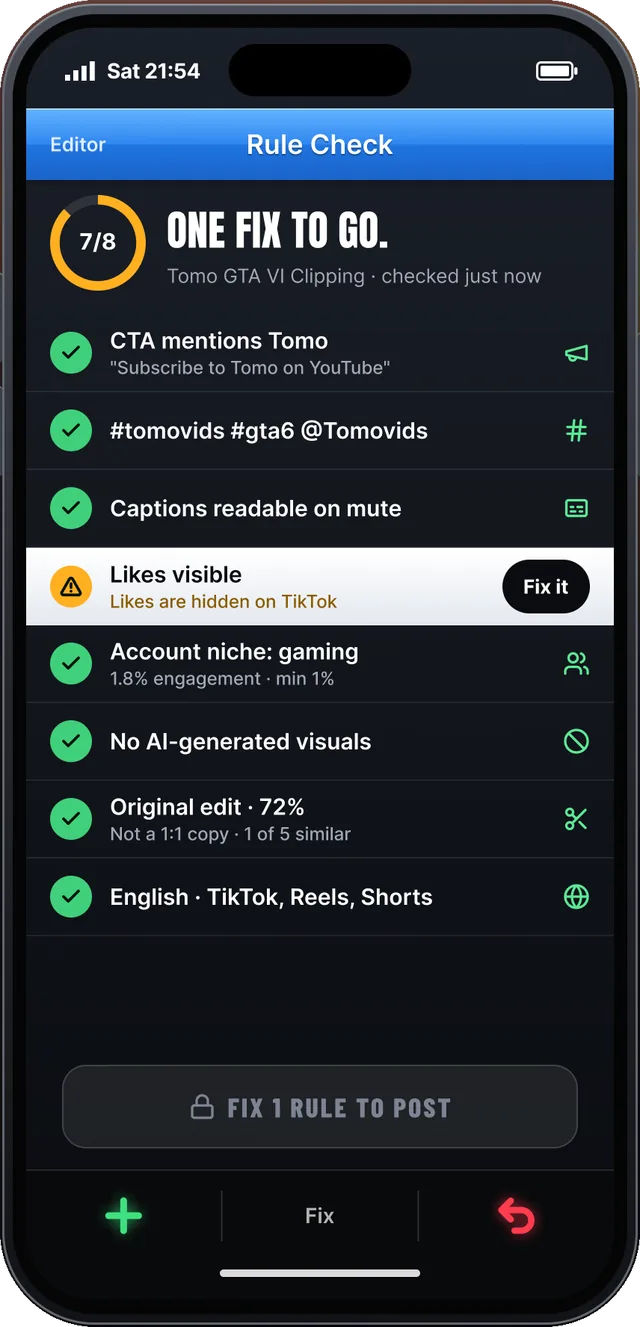
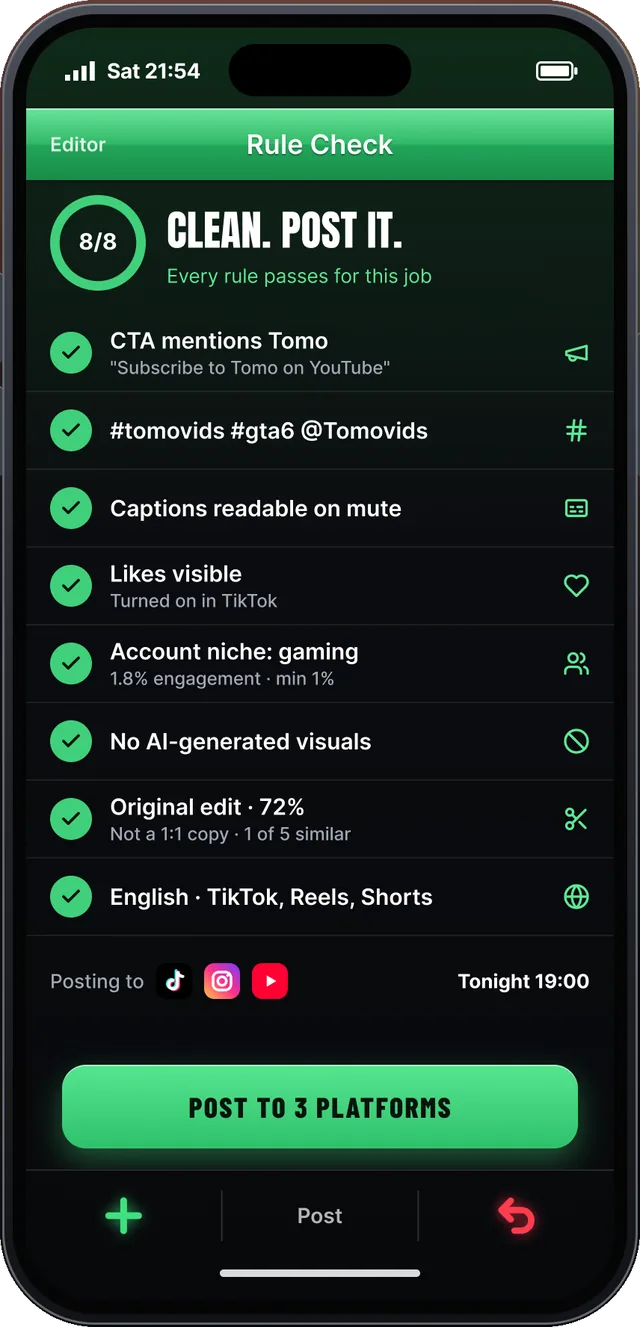
Never Wasted's rule check, flagging hidden likes and then passing every rule. Example data.
The AI content rule, explained
Campaigns ban AI-generated content because they're paying for real attention. Auto-cut, auto-captioned clips posted in bulk all look the same and often get flagged by platforms. What counts as "original" varies, but these almost always help:
- Choose the moment yourself and trim it tight.
- Write your own hook in the first second.
- Add commentary or a voice-over in your own voice.
- Use your own caption style, zooms and sound design.
That's why Never Wasted uses its moment finder to suggest, not decide. You make the cut, and the original-edit meter shows how much of the clip is your work.
Pre-post checklist
- The clip is from the campaign's approved source (the right creator or streams).
- The hook lands in the first one or two seconds.
- Captions are burned in and readable on mute.
- The CTA is on screen and in the caption.
- Hashtags and @handle are copied exactly.
- Likes and view counts are public.
- You're posting on the right account and platform.
- You've noted the date so you keep it up for the full window.
After you post
Submit your clip link promptly, since budgets run out. Keep an eye on views and be ready to send audience proof if the campaign asks. If a clip is rejected, read the reason, fix it on your next post, and don't delete approved clips early.